


LiveATC for Android
3.8759.00 Reviews
App Specs
- Version
- 3.0.63
- Updated On
- License
- $3.99
- Downloads
- 100,000+
- Developer
- LiveATC
- Categories
- Travel & Local
- Platform
- Android
Screenshots

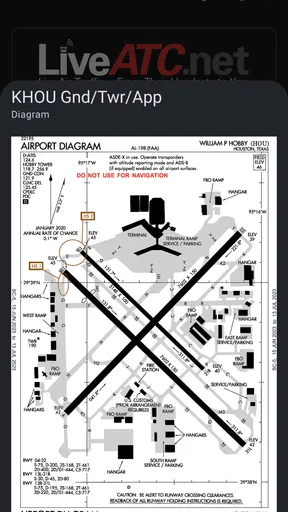
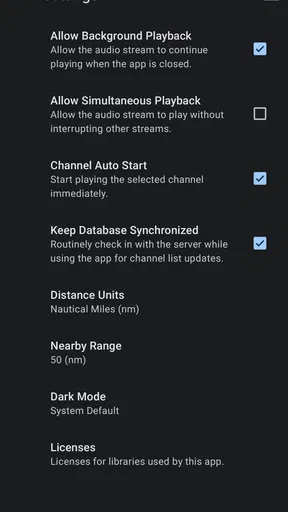
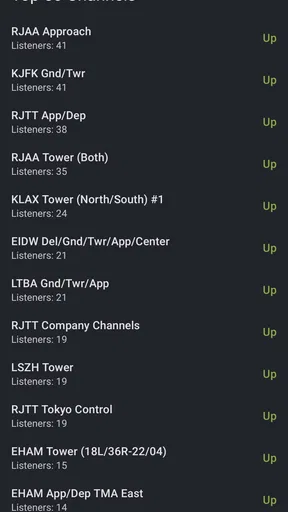
 Analysis by AppCompare
When I want to understand the activity behind an airport’s departures board, I reach for LiveATC for Android. It turns air traffic control radio into something I can listen to directly, rather than a distant background sound. That makes it an unusual travel companion: it is less about planning a trip and more about following the work and coordination that make a trip possible.
Before tuning in, know what kind of listening this is
This is a Travel & Local app from LiveATC, but it does not work like a map, flight tracker, or airport guide. Its appeal is the audio itself. You choose an available airport feed and listen to pilots and controllers coordinating over radio. If you enjoy aviation, want a new way to follow activity at an airport, or are curious about the language of flying, that focus is the point.
I would set expectations before opening it. Radio exchanges can be brief, repetitive, and full of callsigns or terminology that mean little to a newcomer at first. You are listening to live operational communication, not a narrated explanation designed for beginners. I find that more absorbing than a polished aviation video, but it also means some sessions take patience before the conversation starts to make sense.
From choosing a feed to following the exchange
The useful workflow is straightforward: find an airport feed that interests you, start listening, and give yourself time to recognize the rhythm. A departure sequence, for example, can move through clearances, taxi instructions, and later radio contacts, though what you hear depends on the feed and the activity at that airport. Listening with an airport map or a flight-tracking app open can help connect radio calls to the visible movement of aircraft, but those tools are separate companions rather than a substitute for the audio.
For a first session, I would choose an airport whose name and general layout I already know. That gives each call a little context. If a feed is quiet or difficult to follow, switching to another available airport is more useful than assuming the app itself is broken. Radio traffic varies with location and moment; a quiet stretch may simply be a quiet stretch.
A practical tip is to listen for patterns instead of trying to understand every word. Notice when a controller addresses a pilot, when the pilot reads back an instruction, and when the exchange ends. That approach makes the experience more rewarding without requiring aviation knowledge up front. It also helps explain why this works better as focused listening than as something to leave on while expecting a steady stream of entertainment.
Handing off between audio and context
Listening is only one part of the experience. When I want to make sense of an unfamiliar call, I treat the feed as the starting point and use a separate reference—such as an airport diagram or flight tracker—to add context. The radio can tell me that a conversation is happening; the other tool may help me understand where an aircraft is or which part of a journey I am following. Keeping those roles distinct prevents the expectation that one app will explain every call.
Worth Reading Before You Choose

Flipboard Shows What News Apps Must Do Beyond the Feed

Switching to Android Auto Means Rethinking Your Driving Routine

Google Calendar Makes a Crowded Week Easier to Manage

Ludo King Makes the Most of the Minutes Between Plans

Baby Panda World Brings Quick Play to Modern Phones, but Its Game Library Feels Busy

ESPN’s Live Game View Makes Following Close Games Easier
Bookmarks are helpful when I have a few feeds I return to. Rather than search from scratch each time, I can keep familiar airports close and compare how their radio activity differs. That is a small workflow improvement, not a promise that every saved channel will be interesting whenever I open it. I still choose based on what I feel like hearing and whether there is activity to follow.
There is also a useful trade-off in choosing a familiar airport versus an unfamiliar one. A familiar place makes it easier to connect calls with real-world geography; a new one can be more intriguing, but demands more patience. I would start with the first when learning the listening rhythm, then explore elsewhere once the abbreviations and handoffs feel less opaque.
What you get, and what can interrupt the flow
The Android app costs $3.99, carries an Everyone age rating, and has a 3.9 average from around 5,000 ratings, with over 100,000 installs. It was released on May 28, 2011, and version 3.0.63 requires Android 6.0 or later. Those details place it as an established, paid app rather than a free add-on, so I would decide whether live radio is something I will actually use before buying.
Feed availability is the main practical variable. Not every airport or region has a feed you can listen to, and local rules can affect what is available. That matters if you have one specific airport in mind: check whether it appears in the app before building your routine around it. A broad selection elsewhere does not help much if the exact location you care about is not covered.
Live audio also has less control than a recorded show. A call can begin before you tune in, an exchange may be hard to catch, and radio sound can be challenging in a noisy place. I would use headphones and listen somewhere reasonably quiet if understanding the calls matters. If I miss a detail, I do not assume I can replay it as though it were a podcast; the attraction is following what is happening now, with the unpredictability that entails.
Putting the app into an ordinary day
Imagine I have a spare stretch before meeting someone near an airport. I open the app, choose a feed for a place I recognize, and listen while checking a separate map when a call catches my attention. If the radio is busy, I can follow a sequence; if it is quiet, I can switch feeds or put the phone away. The result is a more informed, more vivid sense of airport activity—not a way to predict a departure or replace official travel updates.
Who will get the most from it
I think it suits aviation enthusiasts, plane spotters who want an audio layer alongside watching aircraft, and curious travelers who enjoy understanding the operation behind a journey. It can also be a good listening exercise for someone learning how aviation communication sounds, provided they are happy to look up unfamiliar terms elsewhere. The payoff grows when you have a particular airport, aircraft movement, or radio exchange you want to follow, rather than expecting constant novelty.
For an everyday traveler, the best use may be occasional rather than constant. Before a trip, I might tune in to a familiar airport to get a feel for its radio traffic; during a long wait, I might listen for a while instead of scrolling through another generic feed. But I would not use it to confirm whether my own flight is delayed, which gate it will use, or when boarding starts. Airline and airport information is the better source for those decisions.
How it compares with the usual travel tools
Most travel apps answer practical questions: where a flight is, what time it leaves, or how to get through an airport. LiveATC answers a different one: what does the radio coordination around an airport sound like? A flight tracker is easier for seeing aircraft positions, while a map is better for orienting yourself. Neither gives the same direct listening experience, and the audio app does not replace their visual context.
Compared with aviation videos or podcasts, live radio is less tidy but more immediate. A recorded program can explain a topic and keep a clear pace; a live feed may offer a fascinating exchange followed by silence or speech that is difficult to decipher. I prefer LiveATC when I want to observe rather than be taught. If I need a beginner-friendly explanation, a guide or aviation podcast is a better first step.
Worth paying for if the habit fits
The app has 742 reviews alongside its average rating, and its price makes the decision fairly simple: I would pay only if listening to actual air traffic is a recurring interest, not a one-time curiosity. Its rating suggests a generally positive reception, but a rating cannot tell me whether the feeds I personally want are available or whether I will enjoy the radio format. I would check those things against my own interests before treating the purchase as an obvious choice.
LiveATC is not the right pick for someone who wants a comprehensive trip planner, clear flight-status alerts, or a constant stream of easy-to-follow commentary. It is also a poor match if silence, clipped speech, or technical vocabulary quickly becomes frustrating. For those needs, an airport’s official information or a flight-tracking service is more direct; for aviation listening, this app offers something those alternatives do not.
Getting started with LiveATC
So, what’s the deal with LiveATC? It’s a nifty little app that lets you listen in on live air traffic control communications from around the world. Imagine tuning in to the conversations between pilots and air traffic controllers as if you’re right there in the control tower. Pretty cool, right?
Setting it up is a breeze. Just download it from your app store, open it up, and bam! You’re greeted with a simple yet comprehensive interface that makes it easy to start exploring. The app covers a massive range of airports, from the biggies like JFK and LAX to smaller regional ones. So, whether you’re an aviation enthusiast or just a curious traveler, there’s something for everyone.
The interface: a smooth ride
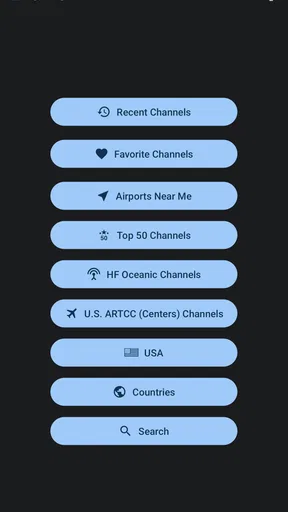
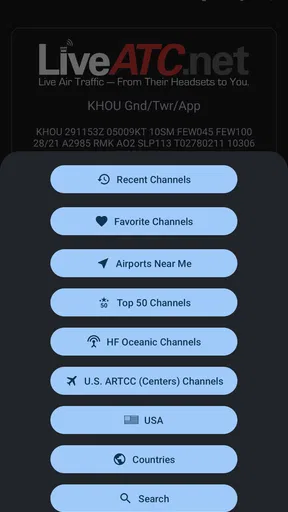
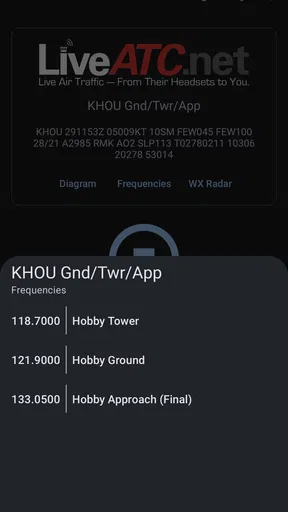
The interface of LiveATC is as smooth as a well-maintained runway. You can search for specific airports or browse through a list of available feeds. The app also lets you bookmark your favorite channels for quick access. This is perfect for those times when you just want to jump right back into the action without any fuss.
One feature I absolutely love is the ability to listen to multiple feeds simultaneously. It’s like being in a room full of pilots and controllers, all coordinating to keep the skies safe and sound. And the audio quality? Top-notch. You won’t miss a single “roger” or “over”.
Diving into the details
Now, let’s talk details. LiveATC offers both free and premium versions. The free version gives you plenty to play with, but if you’re really keen on getting the full experience, the premium might be worth a look. It offers more feeds, fewer ads, and some additional features that hardcore aviation buffs will appreciate.
One thing to note is that the availability of feeds can vary based on location and legal restrictions. Some airports or regions might not have live feeds available due to privacy concerns or other regulations. But don’t let that deter you; there’s still a vast array of options to explore.
Why you’ll love it
What’s really special about LiveATC is the sense of community it fosters among aviation lovers. You can find forums and online groups where users share their experiences, tips, and even recordings of interesting exchanges they’ve heard. It’s like joining a club of folks who share your passion for flight.
Plus, it’s not just for aviation enthusiasts. If you’re someone who travels frequently, LiveATC can offer a unique perspective on the other side of your flight experience. It’s like having a backstage pass to the world of air travel.
Wrapping it up
In a world where we’re always looking for new ways to connect with our interests, LiveATC for Android stands out as a gem for anyone fascinated by aviation. Whether you’re tuning in to the bustling airwaves over a cup of coffee or using it as the soundtrack for your next travel adventure, this app provides an unparalleled peek into the skies above.
So, next time you’re at an airport, waiting for your flight, why not pop in your headphones and dive into the world of LiveATC? You never know, you might just catch a snippet of conversation that makes you appreciate the incredible coordination that keeps us all flying safely.
Pros
- Real-time air traffic audio streams.
- Covers various global airports.
- User-friendly interface design.
- Option to bookmark favorite channels.
- Regular updates enhance stability.
Cons
- Limited coverage in rural areas.
- Requires stable internet connection.
- No offline listening option.
- Audio quality varies by location.
- Ads can be intrusive at times.
FAQs for LiveATC for Android
What is LiveATC, and how does it work?
LiveATC is an app that allows users to listen to live air traffic control (ATC) communications from various airports around the world. It streams audio feeds directly to your device, enabling aviation enthusiasts, pilots, and curious travelers to tune into real-time conversations between pilots and air traffic controllers. The app uses a network of volunteers who maintain receivers to capture the ATC communications.
Is LiveATC available globally for all airports?
While LiveATC provides a wide range of ATC feeds from numerous airports worldwide, it does not cover every airport due to legal and technical restrictions. Some regions may have limitations on broadcasting ATC communications, and the availability of feeds may vary based on volunteer coverage and technical infrastructure. Users can check the app’s directory for available feeds.
Do I need an internet connection to use LiveATC?
Yes, an active internet connection is required to stream live ATC feeds on LiveATC. The app relies on real-time audio streaming, which necessitates a stable Wi-Fi or mobile data connection. Without internet access, you won’t be able to listen to the available broadcasts, as they are not stored locally on your device.
Is there a cost associated with using LiveATC?
LiveATC is available for a one-time purchase fee on both Android and iOS platforms. This fee grants you access to the app and its available ATC feeds. There are no additional subscription fees, but some users might incur data charges depending on their mobile plan if they are not using Wi-Fi while streaming.
Can I use LiveATC for flight training or professional purposes?
While LiveATC can be a valuable tool for aviation enthusiasts and students to familiarize themselves with ATC communications, it is not intended for professional flight training or operational use. The app provides real-time audio for educational and entertainment purposes only, and users should rely on official sources for professional aviation needs.


